Mobile Membership
 Open menu
 Close menu
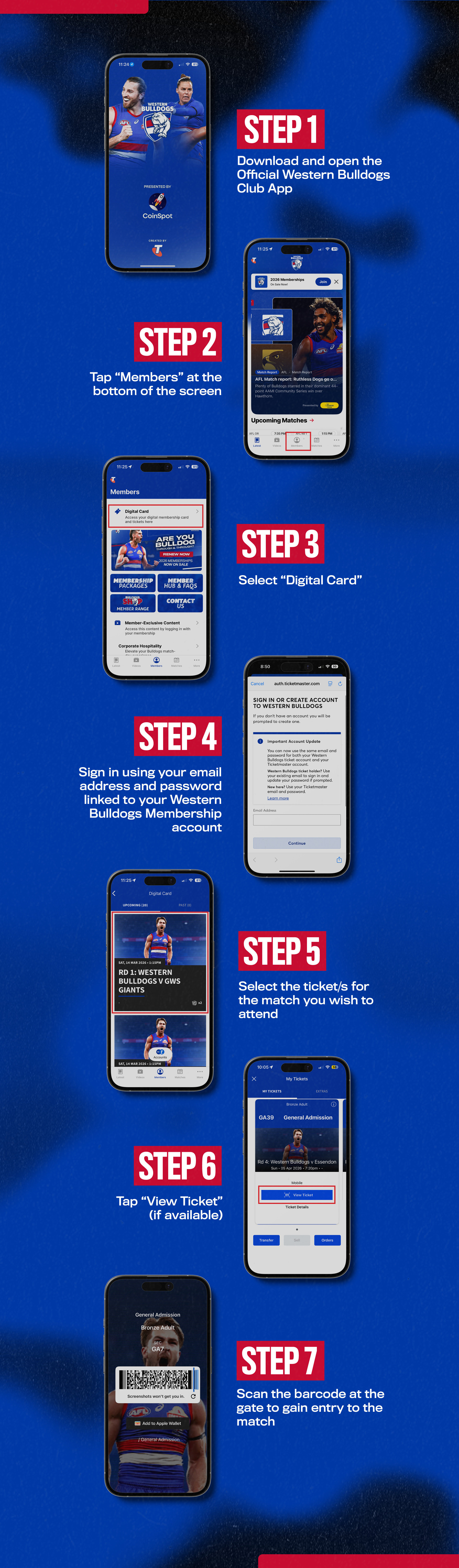
As a 2026 member, we highly recommend the use of your digital membership card because it is the fastest way to scan into your chosen games.
How to use your membership
To use your digital card you first need to download the Western Bulldogs App. Follow the instructions below for your preferred mobile device:


Using your Physical Card
You can scan your physical card at any Western Bulldogs game until you've used all your entitlements. We still recommend downloading your digital card as a backup in case you forget your physical card.